TrendFit
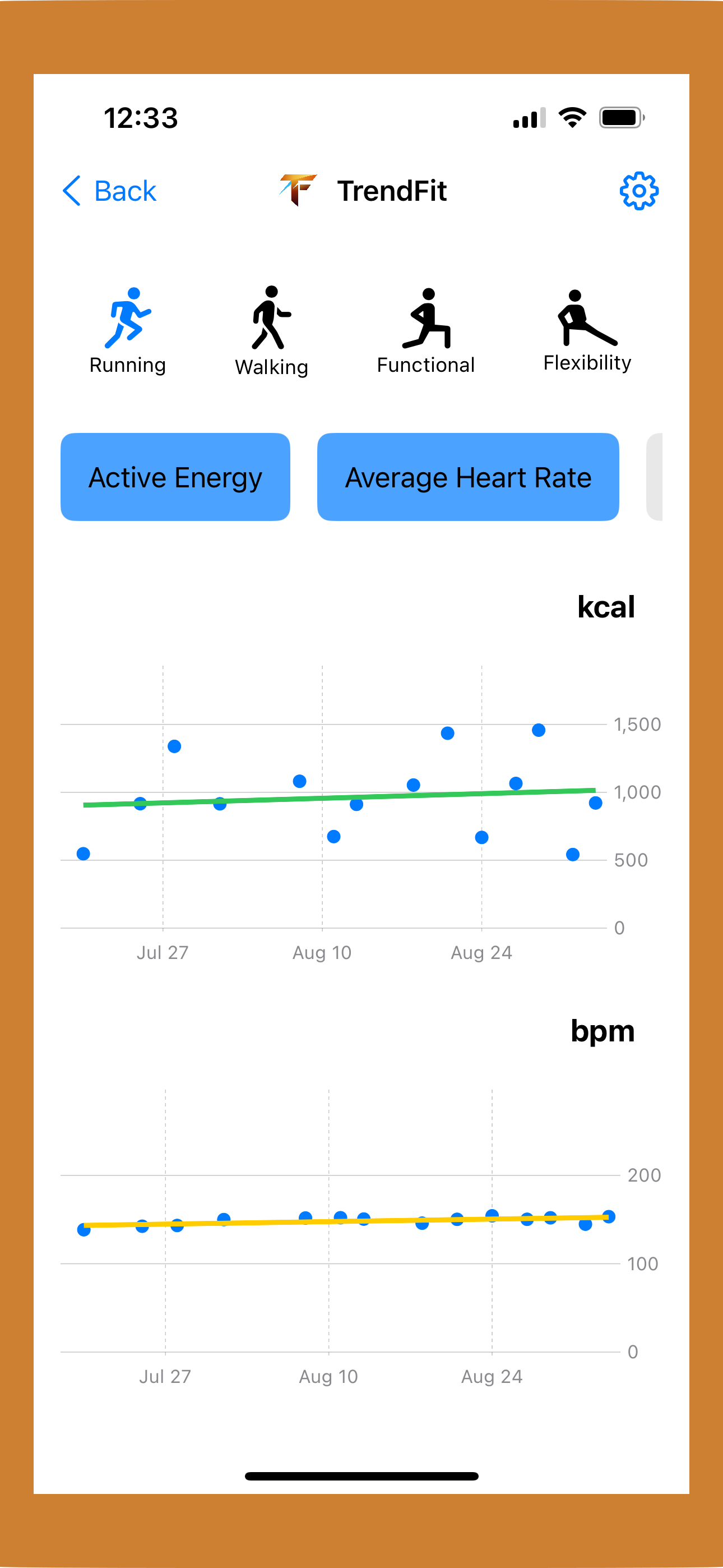
Explore multiple trends—like Active Energy, Heart Rate, Pace—for a single workout type (e.g., Running). See trend-slopes to understand direction at a glance.
Understand your fitness trends with interactive charts and on-device analysis.
Explore multiple trends—like Active Energy, Heart Rate, Pace—for a single workout type (e.g., Running). See trend-slopes to understand direction at a glance.
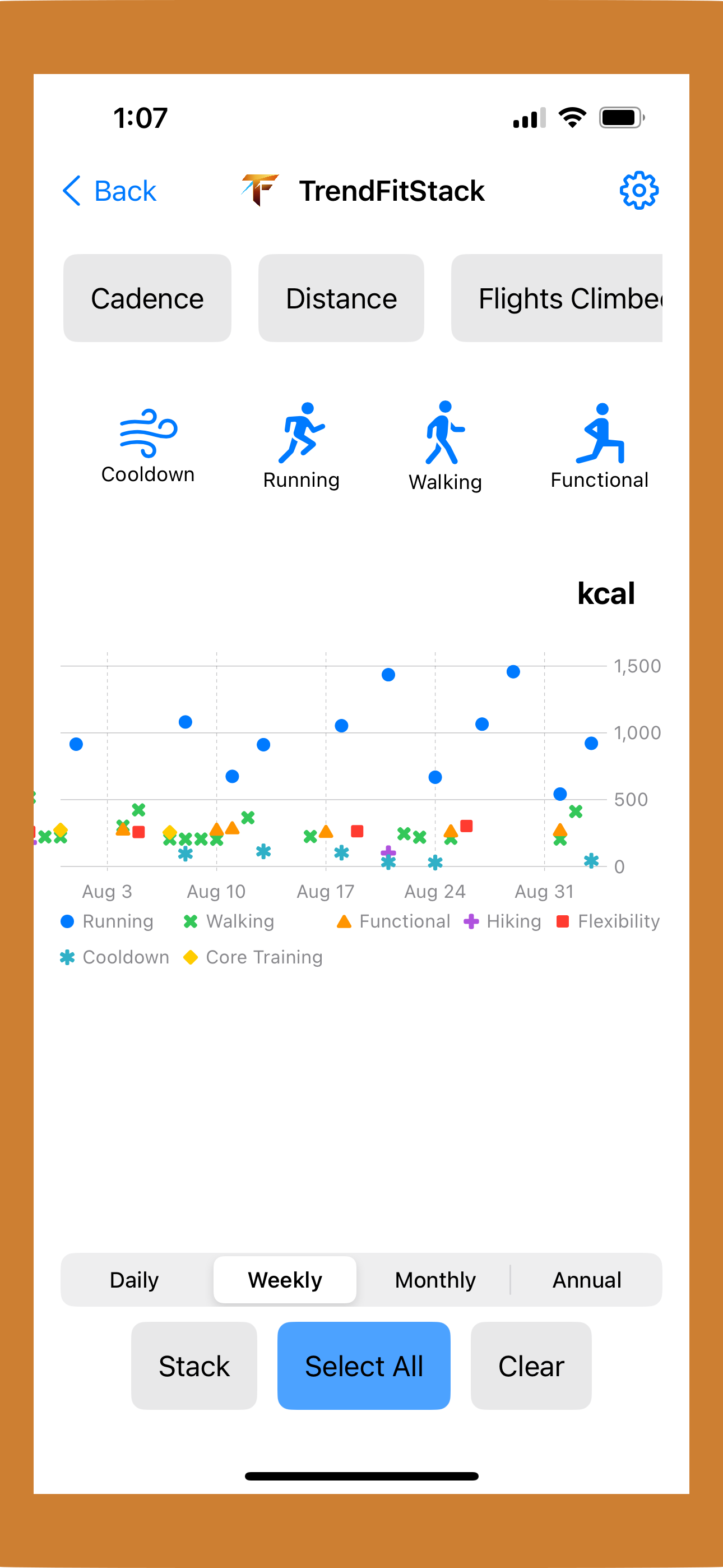
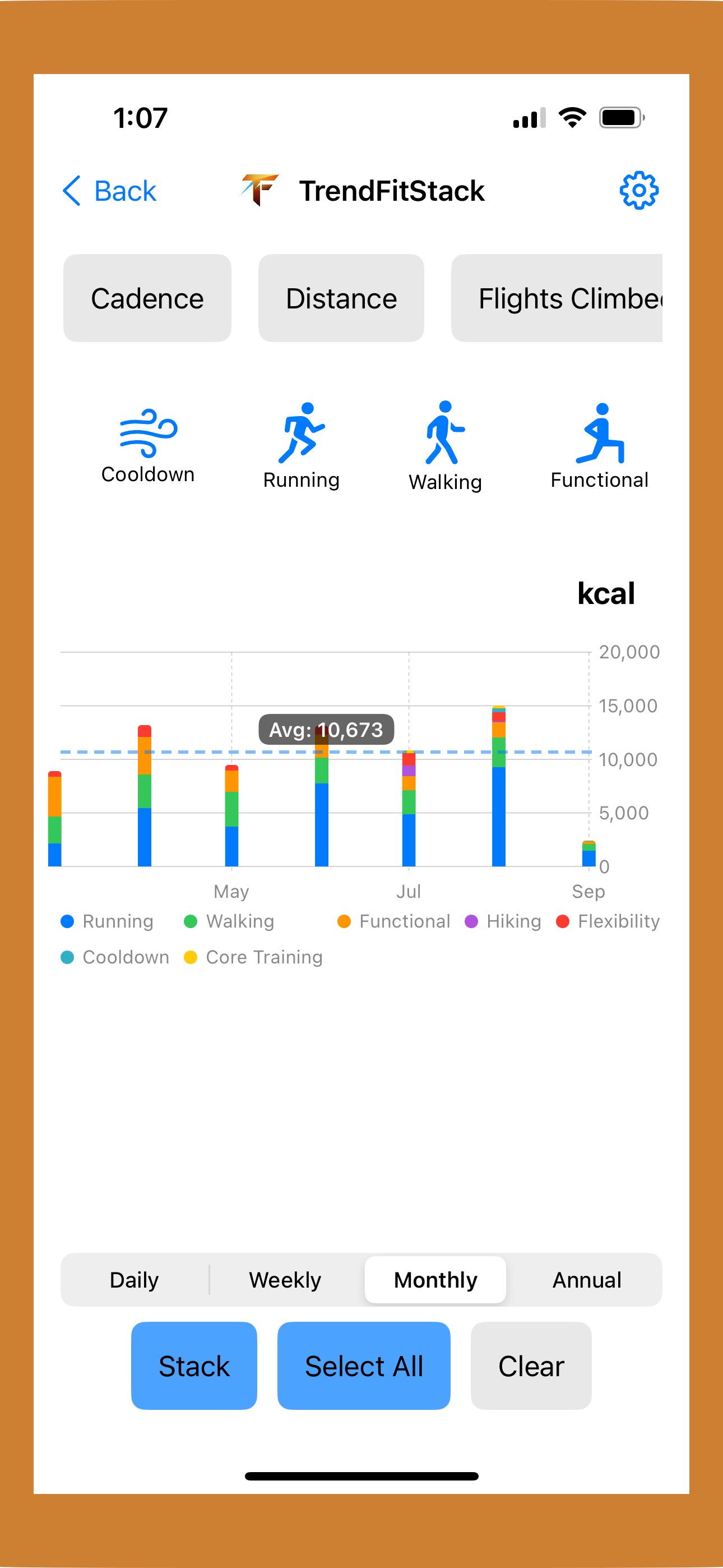
Pick one trend (e.g., Energy) and compare it across many workout types (Running, Walking, Hiking…). Stack your totals by day / week / month / year to see cumulative progress.
Set personal fitness challenges with a guided creation flow. Choose a scope, metric, target, and duration — TrendFit pre-fills target values from your HealthKit history and sends optional on-device progress notifications.
Pinch to zoom, pan, tap to reset, press data points for details. Navigate clean, legible charts designed for quick insights.
On-device only. TrendFit reads Apple HealthKit data locally and does not upload your health data to servers. Your insights stay privately yours.
Choose units, chart lookback windows, and haptic preferences. TrendFit adapts to how you like to train and review progress.
Download TrendFit from the App Store and start tracking your workout trends today.
Download on App StoreNo. TrendFit reads HealthKit data locally on your device. Your data is not uploaded or sold.
iPhone with Apple Health and HealthKit permissions enabled. Specific OS/version details will be posted at release.
TrendFit is available now on the App Store for iPhone. Search for "TrendFit" or visit our download link.